7. Cloud Resume Challenge: Creating SNS Topic and Subscription

In this module, you will create a Simple Notification Service (SNS) Topic and an SNS email subscription for your site contact form. This will enable visitors to send emails to you via your website.

Terraform SNS Subscription Reference
Create a new branch in GitHub
Login to GitHub
Select the Issues tab > Select New Issue
Add the a title, e.g. Create SNS Topic and Subscription
Select Submit new issue

On the right pane, under Development, Select Create a branch
Leave the defaults > Select Create branch
Open your IDE Terminal.
Input the following:
git fetch origin
git checkout YOUR_BRANCH_NAME
Modifying sns files
In this section, you will be modifying the main, variables and outputs Terraform files located in ./infra/modules/aws/sns/.

main.tf
To create an SNS Topic, modify your
./infra/modules/aws/sns/main.tfInput the following:
  resource "aws_sns_topic" "topic" {
    name = var.name
    display_name = var.display_name
  }
The display_name variable will display how the FROM email address will be shown.
To create the SNS Subscription, input the following:
  resource "aws_sns_topic_subscription" "subscription" {
    topic_arn = aws_sns_topic.topic.arn
    protocol  = var.protocol
    endpoint  = var.endpoint
  }
The SNS subscription will determine how the SNS Topic will be utilized. In this case, it will be used as an EMAIL protocol. The endpoint will be your email address.

Save the file
variables.tf
Input the following to define the input variables:
  # SNS Topic
  variable "name" {
    description = "(Optional) The name of the topic. Topic names must be made up of only uppercase and lowercase ASCII letters, numbers, underscores, and hyphens, and must be between 1 and 256 characters long. For a FIFO (first-in-first-out) topic, the name must end with the .fifo suffix. If omitted, Terraform will assign a random, unique name. Conflicts with name_prefix"
    type = string
  }

  variable "display_name" {
    description = "(Optional) The display name for the topic"
    type = string
  }

  # SNS Subscription
  variable "protocol" {
    description = "(Required) Protocol to use. Valid values are: sqs, sms, lambda, firehose, and application. Protocols email, email-json, http and https are also valid but partially supported."
    type = string
  }

  variable "endpoint" {
    description = "(Required) Endpoint to send data to. The contents vary with the protocol."
    type = string
  }
Save the file
outputs.tf
Input the following to define your return variables:
  # SNS Topic
  output "topic_id" {
    description = "The ARN of the SNS topic"
    value = aws_sns_topic.topic.id
  }

  output "topic_arn" {
    description = "The ARN of the SNS topic, as a more obvious property (clone of id)"
    value = aws_sns_topic.topic.arn
  }

  output "tags_all" {
    description = "A map of tags assigned to the resource, including those inherited from the provider default_tags configuration block."
    value = aws_sns_topic.topic.tags_all
  }

  output "beginning_archive_time" {
    description = "The oldest timestamp at which a FIFO topic subscriber can start a replay."
    value = aws_sns_topic.topic.beginning_archive_time
  }

  # SNS subscription
  output "sub_arn" {
    description = "ARN of the subscription."
    value = aws_sns_topic_subscription.subscription.arn
  }

  output "confirmation_was_authenticated" {
    description = "Whether the subscription confirmation request was authenticated."
    value = aws_sns_topic_subscription.subscription.confirmation_was_authenticated
  }

  output "sub_id" {
    description = "ARN of the subscription."
    value = aws_sns_topic_subscription.subscription.id
  }
These are optional as there are no required outputs for my_portfolio or the ./infra/main.tf
Save the file
Modifying my_portfolio files
In this section, you will modify the terraform files within ./infra/modules/my_portfolio.
main.tf
Input the following to define the SNS module block:
  module "sns" {
    source = "../aws/sns"

    name         = var.topic_name
    display_name = var.topic_display_name
    protocol     = var.topic_protocol
    endpoint     = var.topic_endpoint
  }
Save the file
variables.tf
Input the following to define the input variables for the SNS module block:
  variable "topic_name" {
    description = "Name for SNS Topic"
    type = string
  }

  variable "topic_display_name" {
    description = "Display name for SNS topic. How the email will show FROM"
    type = string
  }

  variable "topic_protocol" {
    description = "Protocol used for SNS topic"
    type = string
    default = "email"
  }

  variable "topic_endpoint" {
    description = "Endpoint for SNS Topic"
    type = string
  }
In this module, the topic_protocol is given a default variable of "email".
Save the file
outputs.tf
Input the following to define your return variables for this module:
  # SNS Topic
  output "topic_id" {
    description = "The ARN of the SNS topic"
    value = module.sns.topic_id
  }

  output "topic_arn" {
    description = "The ARN of the SNS topic, as a more obvious property (clone of id)"
    value = module.sns.topic_arn
  }

  output "topic_tags_all" {
    description = "A map of tags assigned to the resource, including those inherited from the provider default_tags configuration block."
    value = module.sns.tags_all
  }

  output "beginning_archive_time" {
    description = "The oldest timestamp at which a FIFO topic subscriber can start a replay."
    value = module.sns.beginning_archive_time
  }

  # SNS subscription
  output "sub_arn" {
    description = "ARN of the subscription."
    value = module.sns.sub_arn
  }

  output "confirmation_was_authenticated" {
    description = "Whether the subscription confirmation request was authenticated."
    value = module.sns.confirmation_was_authenticated
  }

  output "sub_id" {
    description = "ARN of the subscription."
    value = module.sns.sub_id
  }
These outputs are optional.
Save the file
Modifying ./infra/main.tf
main.tf
Modify your
./infra/main.tfInput the following:
    # SNS
    topic_name = "Email_from_my_website"
    topic_display_name = "Contact Me!"
    topic_endpoint = "YOUR_EMAIL_ADDRESS"
variables.tf and outputs.tf
Since the file_path has been hard coded, you do not have to modify your variables.tf
Optionally, you can include the outputs.tf. Based off the example above:
# SNS Topic
output "topic_id" {
  description = "The ARN of the SNS topic"
  value = module.my_static_website.topic_id
}

output "topic_arn" {
  description = "The ARN of the SNS topic, as a more obvious property (clone of id)"
  value = module.my_static_website.topic_arn
}

output "topic_tags_all" {
  description = "A map of tags assigned to the resource, including those inherited from the provider default_tags configuration block."
  value = module.my_static_website.topic_tags_all
}

output "beginning_archive_time" {
  description = "The oldest timestamp at which a FIFO topic subscriber can start a replay."
  value = module.my_static_website.beginning_archive_time
}

# SNS subscription
output "sub_arn" {
  description = "ARN of the subscription."
  value = module.my_static_website.sub_arn
}

output "confirmation_was_authenticated" {
  description = "Whether the subscription confirmation request was authenticated."
  value = module.my_static_website.confirmation_was_authenticated
}

output "sub_id" {
  description = "ARN of the subscription."
  value = module.my_static_website.sub_id
}

This will output those values to the Terraform Cloud outputs.
Pushing to GitHub
Ensure your files are saved.
In your IDE Terminal, type the following:
git add .
Add all files that were changed.
git commit -m "Created SNS topic and subscription for email notifications"
Commit the changes with a comment.
git push
Push to GitHub.
Create Pull Request
Login to GitHub.
You should see the push on your repository.
Select Compare and pull request.
Validate the changes that were made to be pushed to
mainSelect Create pull request.
Your Terraform Plan should run before you can merge to main.
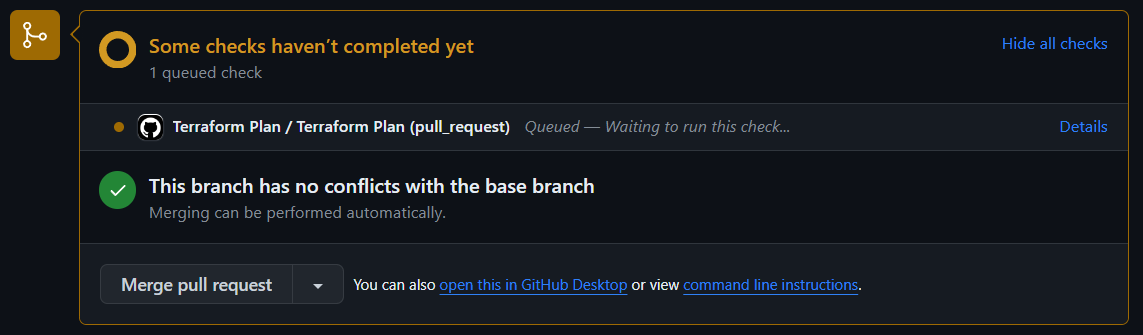

If you are using the same site files from the original template, the plan to add 2 should match.
Select Merge pull request > Confirm merge.
Delete branch.
In your IDE Terminal, type the following:
git checkout main
git pull
Validation:
- Check your email and confirm the subscription


AWS Management Console:
In the Search bar, search for "sns" > Select Topics
You should see your new SNS Topic listed

Select Subscriptions:
- You should see your email address confirmed if you selected the Confirm subscription from the email that you received.

You have completed this module and created your SNS topic and subscription. In the next module, you will upload the Lambda functions from the lambda folder and test each to interact with your DynamoDB table and SNS Topic.
About the author
I am a Sr. Windows Administrator looking to sharpen my skills within the cloud space. This blog serves not only as a guide for others to use but also to document my cloud journey.
Comments
Join the discussionNo comments yet. Be the first to comment.
AWS Cloud Resume
In this series, I will outline the steps to integrate a fully functional serverless website hosted on CloudFront using Amazon S3. The implementation deployment will be through Terraform.